
How to Build GoHighLevel Workflows to Automate Your Business
In a busy agency, time is your most valuable asset. If you spend all day sending emails and fixing calendars, growth becomes impossible. This is why automation is essential for agencies today.
The GoHighLevel CRM has a powerful tool called Workflows that acts like a virtual assistant, handling repetitive tasks automatically. In this guide, we’ll show you how to build a system that runs 24/7 and scales your business.
What Are GoHighLevel Workflows?
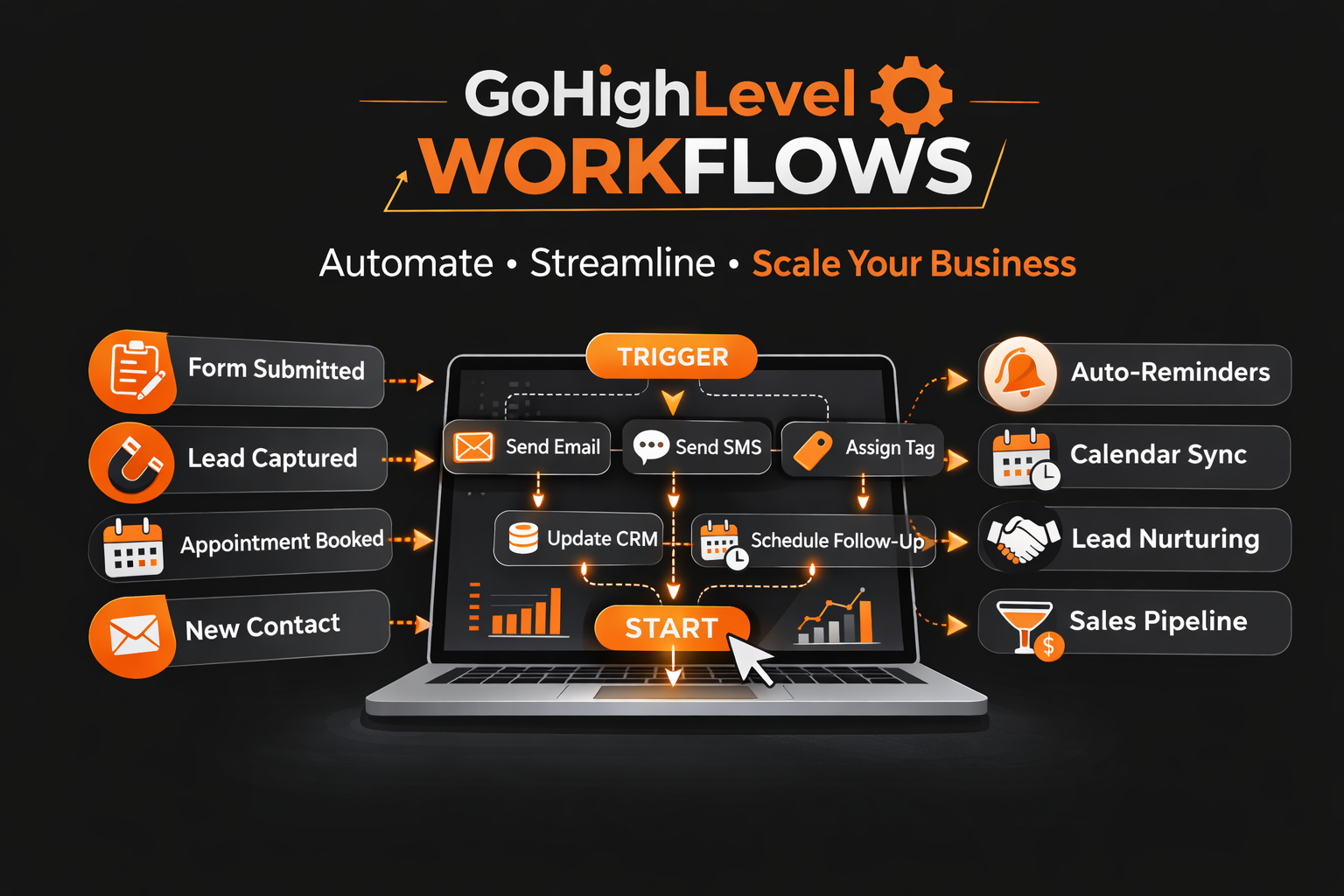
A workflow is a series of automated actions triggered by specific events. Think of it like a chain reaction: when one action happens, the next begins automatically. Workflows help marketers connect campaigns to daily tasks, keeping your agency organized without the need for manual work. You can manage everything from a simple dashboard, saving time and reducing errors.
Understanding Triggers and Actions in GHL
To create effective workflows, you need to understand the two core elements: triggers and actions. These are the building blocks of every GoHighLevel system.
What Is a Trigger?
A trigger is the event that starts your workflow. For example, when someone fills out a form on your website, the workflow begins automatically. Triggers ensure that your automation reacts to the right event at the right time.
What Is an Action?
An action is what happens after a trigger is fired. This could include sending an SMS, adding a tag to a contact, or moving a lead in your sales pipeline. Actions let your system work for you while you focus on strategy.
Step-by-Step Guide to Building Your First Workflow
Creating your first automation in GoHighLevel is straightforward:
Automating Appointments and Calendar Management
Automation is especially valuable for booking and scheduling. Manual appointment management wastes time and leads to errors.
Automatic Reminders
When someone books a meeting, the system can send a confirmation automatically and follow up with reminders 1 hour before the appointment. This significantly reduces no-shows.
Updating Your CRM Automatically
Workflows can also update your CRM records automatically. For example, a new appointment can mark a lead as “Hot” instantly, keeping your analytics accurate and actionable.
Using Custom Settings to Optimize Your Workflows
Every agency is unique, which is why GoHighLevel allows custom workflow settings. Use wait steps to schedule messages perfectly—no more sending texts at 3 AM! Custom settings ensure communications feel professional and human.
| Action Name | What It Does | Why Use It? |
|---|---|---|
| Send SMS | Sends a text | Fast communication |
| Add Tag | Labels the client | Better organization |
| Set Goal | Stops the workflow | Prevent spamming |
| Notify User | Alerts your team | Quick follow-up |
Connecting Funnels to Your Workflows
Your funnels and websites capture leads, but workflows convert them into revenue.
The Lead Capture Loop
When a visitor submits their information, your workflow should respond instantly. A fast reply can make the difference between a sale and a lost opportunity.
Nurturing Leads Over Time
Set up longer workflows that send helpful content over weeks. This builds trust with your audience without extra effort, nurturing relationships automatically.
Tracking Workflow Performance
Monitoring the success of your automation is critical. GoHighLevel provides analytics that show how many people started and completed each workflow. Identify where leads drop off and optimize your processes for better results.
Advanced Agency Automation Tips
Agencies can maximize GHL with these advanced strategies:
FAQs About GoHighLevel Workflows
Can I stop a workflow manually?
Yes, you can turn off any workflow or remove a specific user anytime.
How many actions can a workflow have?
You can have as many actions as needed, but simpler workflows often work best.
Do I need an external app for SMS?
No. GHL includes built-in tools to send texts and emails seamlessly.
Conclusion: Put Your Agency on Autopilot
GoHighLevel CRM workflows are the secret weapon for agency growth. By setting smart triggers and actions, you can ensure every lead receives the right message at the right time. Start automating your simplest tasks today and watch your agency scale without extra hires.


