GHL Mobile App 2026: The New “v4.0” Command Center Guide
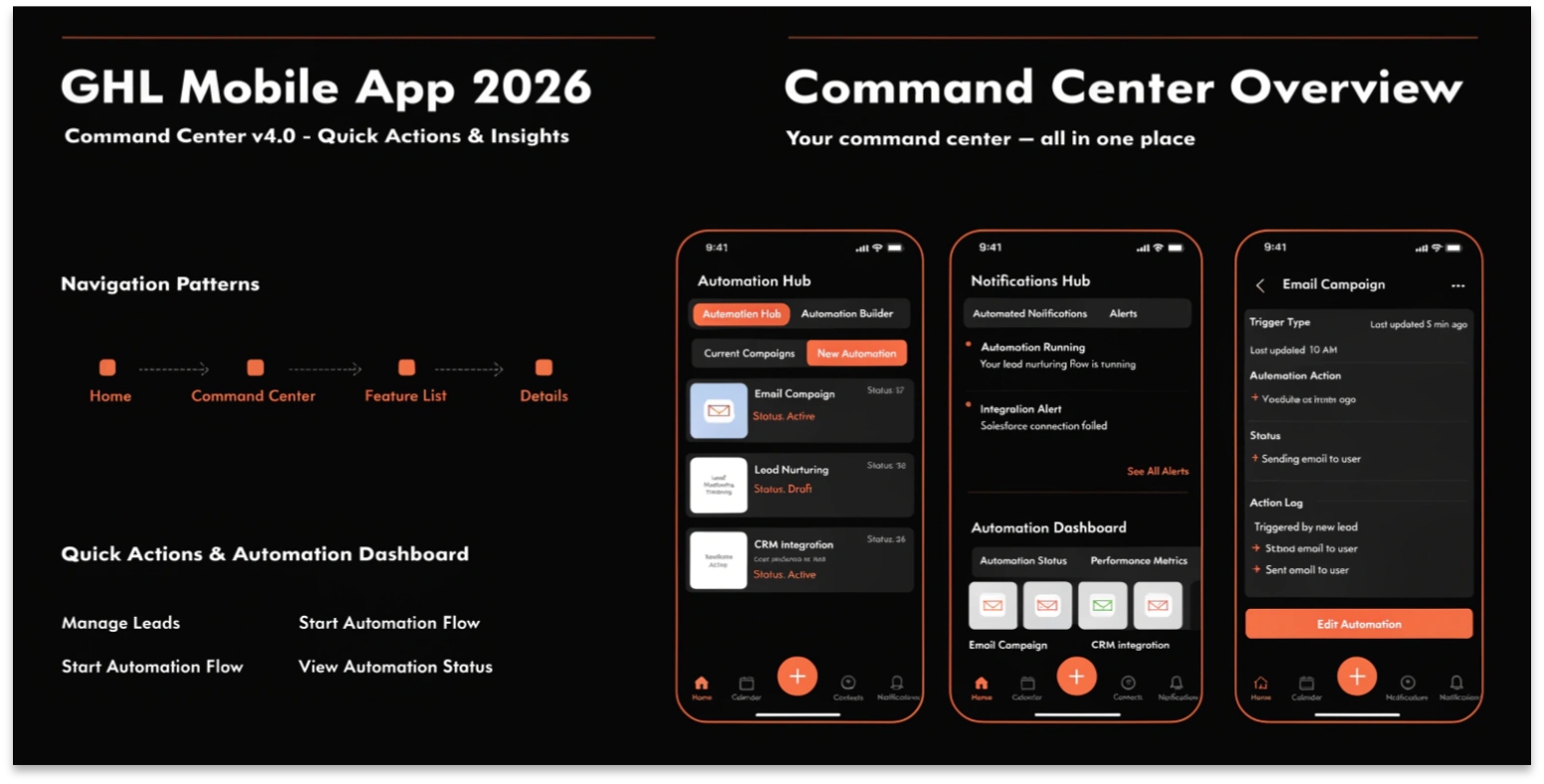
In 2026, a business owner is rarely sitting at a desk. You are in meetings, at events, or traveling. For a long time, mobile CRMs felt like “lite” versions of the real thing. But with the release of HighLevel Mobile v4.0, the mobile app is now a full-power command center.
This isn’t just a small update; it is a complete redesign built for speed and intelligence. In this guide, we will look at the newest features that allow you to run your entire SaaS Agency from your phone.
The Redesigned Home Dashboard
The first thing you will notice in 2026 is the Dynamic Homepage. Instead of a list of buttons, you now have “Live Widgets” that show your most important data the second you open the app.
Universal Search: Find Anything in Seconds
As your business grows, finding one specific contact or conversation can be hard. The new Universal Search in the v4.0 app is a game-changer.
Unlike the old search, this new tool scans across Contacts, Conversations, and Opportunities at the same time. If you remember a customer mentioned “Blue Widgets” but can’t remember their name, you can search “Blue Widgets,” and the app will find the exact chat thread instantly.
The New “App Drawer” Logic
GHL has moved away from the old left-hand menu. In 2026, the mobile app uses an App Drawer categorized by business function:
Comparison: GHL Mobile 2024 vs. 2026 (v4.0)
| Feature | Old Mobile App | GHL Mobile v4.0 (2026) |
| Interface | List-based / Static | Widget-based / Role-Aware |
| Search | Module-specific | Universal (All-in-One) |
| Navigation | Side Hamburger Menu | Modern App Drawer |
| AI Access | Minimal | Full “Ask AI” Integration |
| Visuals | Light Mode only | True Dark Mode & High-Contrast |
“Ask AI” on Mobile
One of the most powerful 2026 updates is having the Ask AI Assistant in your pocket.
Role-Aware & SaaS Parity
In 2026, the mobile app finally respects your SaaS Configurator settings.
Most Searched “Mobile” Questions (FAQs)
How do I enable the new v4.0 experience?
If you don’t see the new layout, go to Settings > Labs on the web app and ensure “Revamped Mobile App Experience” is toggled on. Then, update your app in the App Store or Google Play.
Does the mobile app support Dark Mode?
Yes. The 2026 update includes a “True Dark Mode” that is easier on the eyes and saves battery life on OLED screens.
Can I manage my Community from the app?
Yes. The GHL Communities have a dedicated section in the app, allowing you to moderate posts and respond to members while you’re away from your desk.
Can I take calls through the app?
Yes. Using the Lead Connector (LC) Phone system, you can make and receive business calls directly through the app, keeping your personal number private.
Technical Tip: Smart Notifications
In 2026, you don’t want a notification for every single email. Use the Mobile Notification Settings to only alert you for “High Value” actions:
Common Mobile Mistakes
Conclusion: Freedom to Move
The 2026 GHL Mobile v4.0 update isn’t just an improvement; it’s a statement. It proves that you can run a professional, high-revenue business from anywhere in the world.
By mastering the Universal Search, the App Drawer, and the Mobile AI, you are no longer chained to your desk. You have the freedom to grow your business while living your life.