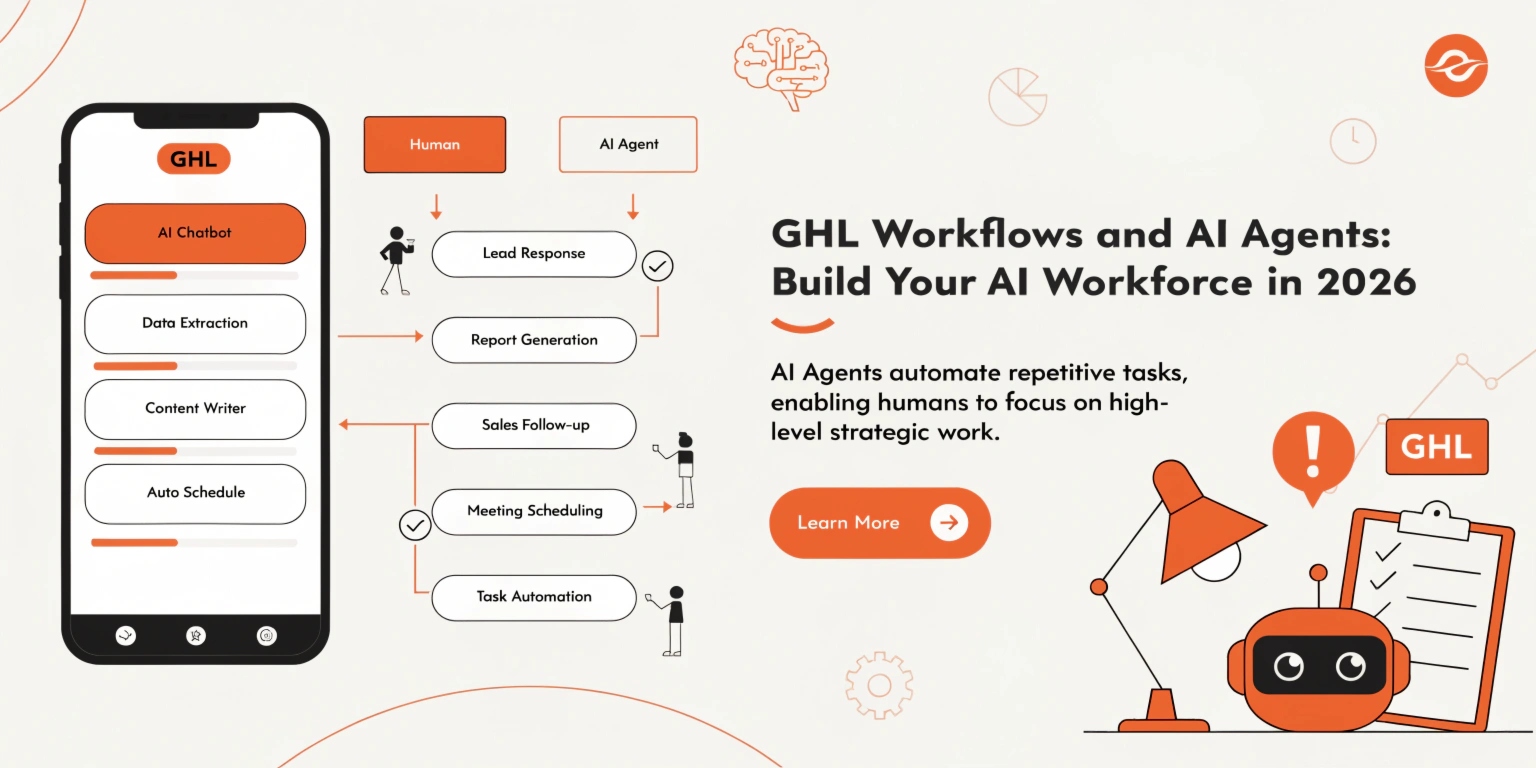
GHL Workflows and AI Agents: Build Your AI Workforce in 2026
In the past, automation was simple. If someone filled out a form, the computer sent a generic email. But in 2026, customers want more. They want a conversation. They want answers now.
This is why GoHighLevel (GHL) has moved beyond simple “Workflows” and introduced AI Agents. Together, these tools allow you to build a digital team that works 24/7. In this guide, we will show you how to master the technical side of GHL automation.
What are GHL Workflows?
A workflow is a series of steps that GHL follows automatically. Think of it like a “Recipe.” You tell the system: “When this happens, do these three things.”
The Two Parts of a Workflow
The Rise of AI Agent Studio
In 2026, the biggest update is the AI Agent Studio. This is different from a normal chatbot. A chatbot follows a script. An AI Agent can think.
Read this: GHL SaaS Mode 2026: Build a Six-Figure White-Label Agency
How AI Agents are Different
Top 3 “AI Automation Recipes” for 2026
You don’t need to be a coder to build these. Here are the most searched-for automation setups.
Recipe A: The AI Appointment Setter
This workflow replaces a human receptionist.
Recipe B: The “Smart” Lead Nurturer
Most leads don’t buy on the first day. This workflow keeps you in their mind.
Recipe C: Review Sentiment Automation
Comparison: Old Workflows vs. 2026 AI Agents
| Feature | Basic Workflows (2023) | AI Agents (2026) |
| Responses | Pre-written / Static | Dynamic / Human-like |
| Knowledge | None | Business-specific (PDFs/Web) |
| Decision Making | Strict “If/Else” | Intent-based reasoning |
| Booking | Links to a calendar | Books via conversation |
Technical Tips for Building Better Workflows
To keep your system clean and fast, follow these rules:
How to Train Your AI Agent
Training an AI Agent in GHL is easier than training a human employee.
Read this: GHL Automation Strategies 2026: Grow Your Business While You Sleep
Most Searched Technical Questions (FAQs)
Can the AI Agent take phone calls?
Yes. In 2026, GHL Voice AI allows the Agent to answer the phone and speak to customers using a natural, human-sounding voice.
Do I need to pay for OpenAI/ChatGPT separately?
No. GHL has built its AI features directly into the platform. You pay for AI “credits” inside your GHL wallet, which is much cheaper and easier.
What is a “Webhook” in a workflow?
A Webhook is a way for GHL to “talk” to other apps. For example, you can use a Webhook to tell your shipping software to send a package whenever a GHL invoice is paid.
Can I copy my AI Agent to another client’s account?
Yes! You can include your AI Agents in a Snapshot. This allows you to sell “Pre-Trained AI Employees” to your clients for a high fee.
Avoiding “Automation Overload”
It is tempting to automate everything. But remember: people still buy from people.
The ROI of GHL Automation
Why bother with all this tech? Because it makes you more money.
If an AI Agent books just two extra appointments a month, it has paid for your entire GHL subscription. If it saves your staff 10 hours a week in answering basic questions, it has saved you thousands in labor costs.
Conclusion: The AI Revolution is Here
In 2026, the businesses that win are the ones that move the fastest. By using GHL Workflows and AI Agents, you are building a business that responds instantly, never forgets a lead, and works while you are on vacation.
Don’t let the technology scare you. Start with one simple workflow today, and add an AI Agent tomorrow. The future of your business depends on how well you can automate.